
Samsung opened the One UI 9.5 beta in India on 18 November 2026, and if you own a Galaxy S26, S26+ or S26 Ultra, a banner in the Samsung Members app now lets you join. My short answer: join only if this isn’t your one and only phone, or if you’re fine living with bugs for a couple of months.
The new features are genuinely nice, especially App Lock. But there’s a catch in how you leave the beta, and it’s the reason most people should wait. That’s in section 4.
⚡ Key takeaways
- What it is: an early test version of Samsung’s next update, the second One UI release built on Android 17, according to SamMobile.
- Who can join: Galaxy S26, S26+ and S26 Ultra owners in India (plus the US, UK, Korea, Germany and Poland), through Samsung Members. Slots are limited.
- Best new features: a built-in App Lock, upgraded Pro and Pro Video camera modes, and Medications and Mindful Note in Samsung Health.
- The catch: going back to stable One UI 9 through Smart Switch factory-resets the phone.
- Who should skip: anyone using the S26 as their only phone for banking, UPI and work. Stable One UI 9.5 is reportedly due in early 2027.
What the One UI 9.5 Beta Is, and Why India Got It on Day One
One UI 9.5 is Samsung’s next big software update for Galaxy phones. It sits on top of Android 17, the same base as the One UI 9 update that reached Indian S26 owners in late September, and adds new features on top.
The beta is a public test. Samsung lets owners try the update early, collects bug reports, and fixes things before the final version ships. Samsung’s own newsroom post from 18 November lists six markets: Germany, India, Korea, Poland, the UK and the US.
India often waits a few weeks for Samsung betas. Not this time: Beebom says India got it “on day one”, and SamMobile calls it the first time Samsung opened a One UI beta in all eligible markets at once.
Only the Galaxy S26 series qualifies for now. SamMobile says more phones will be added later, so S24, S25 and foldable owners will have to wait.
What’s New in One UI 9.5 (the Features Worth Caring About)
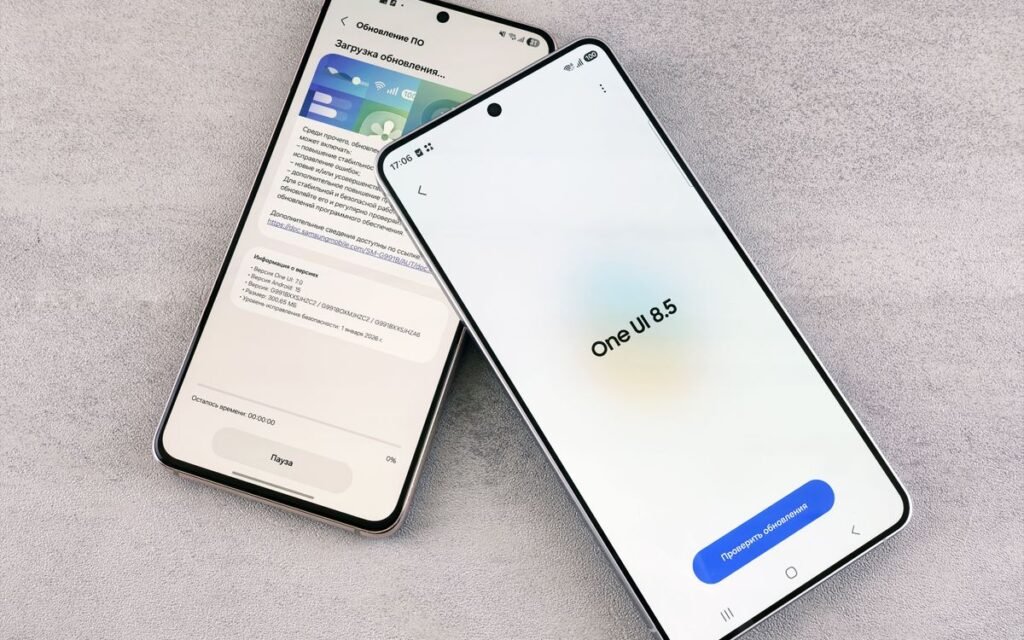
Samsung’s official post confirms some features, and a fuller changelog shared by tipster Ice Universe (reported by Android Central and Beebom) adds more. Here’s what’s worth knowing.
App Lock, finally built in
You can lock individual apps with your fingerprint, face or screen lock. Locked apps also hide their notification content and widgets. If you’ve ever handed your phone to a relative to show a photo and worried about WhatsApp or your gallery, this is the feature for you. No more third-party lock apps that want every permission on your phone.
Better Pro and Pro Video camera modes
Samsung says Pro and Pro Video get customisable controls and presets, and the regular camera puts key settings, including the zoom bar, on one screen. Android Central’s changelog adds finer shutter speed and frame rate control. One fine print: Samsung says Pro Lite and Pro Video Lite don’t get these upgrades.
Samsung Health: Medications and Mindful Note
Medications lets you add prescriptions, vitamins and supplements, set reminders and track whether you took them. Handy if you manage tablets for your parents.
Samsung says availability “may vary by market”, so don’t count on it in India until you see it. Mindful Note is a journal with free writing or guided prompts. It doesn’t work on the Galaxy Watch.
Smaller changes
- Hearing aid volume from the notification panel, plus a floating accessibility shortcut (both confirmed by Samsung).
- An optional delay of up to 10 seconds before an app opens, in Digital Wellbeing (reported changelog).
- DOCX and PPTX previews in My Files, and snap layouts for two to four apps in DeX (reported changelog).
💡 Pro tip
App Lock is the one to try first. Lock your gallery, WhatsApp and any banking app, then check whether notifications from those apps now hide their content on the lock screen.
 Also readApp Permissions: Which Apps Can Use Your Camera, Mic and Location
What You Lose: Features Being Removed
Updates don’t only add things. According to the changelog reported by Android Central and Beebom, Audio Broadcast and Enhanced Audio Services are no longer supported from One UI 9.5.
Never used either feature? Then you won’t notice. But if you use Audio Broadcast with your earbuds or hearing devices today, check this before you join, because the beta will reportedly take it away.
Samsung’s own newsroom post doesn’t list removals, so treat these as reported, not confirmed. Here’s how the beta compares with staying on stable One UI 9:
| 9.5 beta | Stable One UI 9 | |
|---|---|---|
| App Lock | Built in | Not built in |
| Pro / Pro Video presets | Yes (supported models) | No |
| Samsung Health Medications | Yes, availability varies by market | No |
| Audio Broadcast | Reported as removed | Available |
| Stability | Test build, bugs expected | Final release |
| Going back | Factory reset needed | Not applicable |
| First download | About 3.5 to 3.6 GB | Already installed |
The Catch: Leaving the Beta Wipes Your Phone
⚠️ Watch out
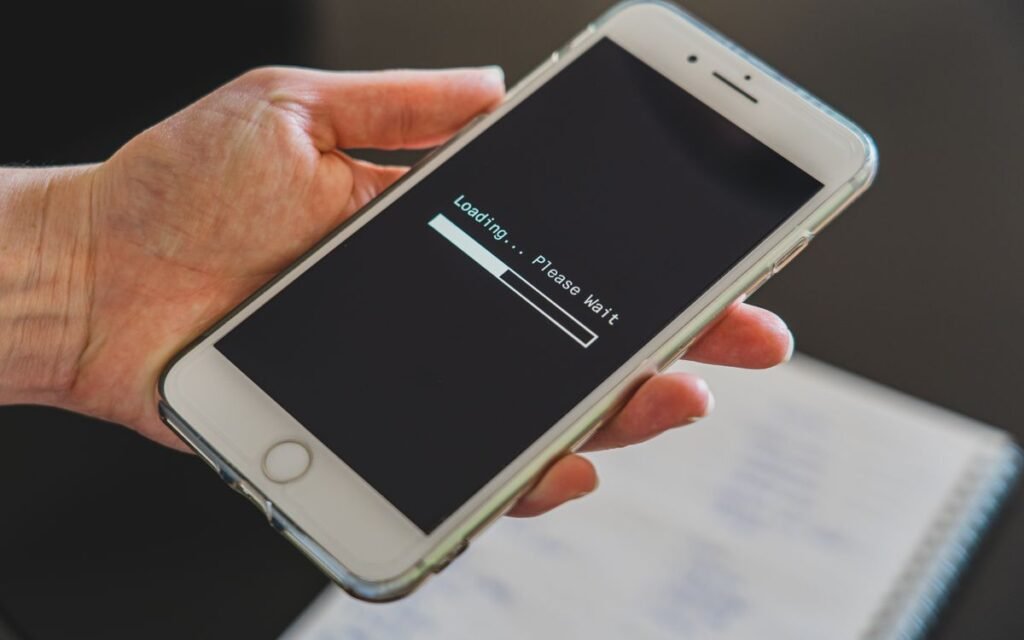
Installing the beta keeps your data. Going back does not. Rolling back to stable One UI 9 through Smart Switch factory-resets your phone, so you lose everything that isn’t backed up.
It’s easy to miss in the excitement. Beebom says installing the beta doesn’t wipe data, but rolling back resets the phone. Android Authority’s rollback guide says the same. Samsung’s beta operations team, posting on the Samsung Members community, also warns that “your device will be initialized (factory reset)” when you roll back.
And a plain factory reset doesn’t get you off the beta either. You have to leave the programme and then downgrade with Smart Switch on a computer.
Why this matters for Indian users
Think about what lives on your phone. WhatsApp chats, UPI apps tied to your SIM, bank apps that need fresh device verification, office apps your IT team set up. After a reset, you redo all of that.
So ask yourself one thing: if I hate it in week two, am I ready to set up the whole phone again? No? Then wait.
Bugs and app compatibility
Samsung warns that the beta can cause unexpected problems. None of the reports I read listed specific One UI 9.5 bugs yet, but it’s the first build, and Beebom advises against putting it on your main phone. If a banking or UPI app breaks, your only exit is the reset above. Keep an eye on battery life too: if it drops noticeably, check your battery health before you blame the update.
How to Join the One UI 9.5 Beta on Your Galaxy S26
Decided to go ahead? Back up first, then join. Steps are based on Android Authority’s and Beebom’s guides.
Step 1: Back up everything
Back up WhatsApp chats in WhatsApp’s own settings, and let photos sync to Google Photos or Samsung Cloud. Samsung recommends a backup before installing, and Android Authority suggests Smart Switch for PC, which saves a full copy to your computer. Our guide to backing up phone photos covers the photo side.
Step 2: Free up space
The first download is about 3.5 to 3.6 GB, according to Android Authority and early user reports cited by Beebom. Beebom also mentions a second, smaller update of about 540 MB after a restart. If storage is tight, see what to delete first when phone storage is full.
Step 3: Join through Samsung Members
- Open the Samsung Members app and sign in with your Samsung account.
- Tap the beta banner, or go to Beta Program and choose One UI 9.5 S26 Beta.
- Tap Join, read and accept the terms.
- Charge to at least 30%, connect to Wi-Fi and go to Settings > Software update > Download and install.
Already in the One UI 9 beta? 9to5Google says this is a new programme, so join again. Slots are limited and roll out in waves. If you don’t see the banner, check again in a day or two.
 Also readPhone Storage Full? Delete These 7 Things First (Android, iPhone)
How to Leave the Beta and Go Back to One UI 9
If the beta isn’t working for you, here’s the route described by Android Authority and Samsung’s beta team. Back up first, because this wipes the phone.
- Open Samsung Members > Beta Program > One UI 9.5 S26 Beta.
- Tap the three-dot menu and choose Leave One UI 9.5 S26 Beta. Give a reason and submit.
- Install Smart Switch on a Windows PC or Mac.
- Connect the phone by USB and tap Allow on the phone.
- In Smart Switch, click Downgrade, then Continue. Don’t unplug the cable until it finishes.
- The phone restarts on the last stable version, wiped. Set it up again and restore your backup.
A few things to know
- You don’t have to leave. If you stay, you keep getting new beta builds as Samsung releases them; Beebom expects at least two or three more before the stable version.
- Some Samsung Members community users have reported the Downgrade button not appearing until they had left the beta and reconnected the phone.
- Samsung’s beta team says only phones and tablets can roll back this way.
💡 Pro tip
Before you downgrade, run a fresh WhatsApp backup and check that your Google Photos backup is complete. Those two cover what most people miss after a reset.
When Stable One UI 9.5 Is Expected
Samsung hasn’t announced a date. Its newsroom post only says the beta comes “ahead of its official debut”.
Reports point one way, though. Beebom and Digit expect stable One UI 9.5 to arrive with the Galaxy S27 series around January or February 2027, with the S26 and other eligible Galaxy phones following in the weeks after. SamMobile expects the S27 launch in the first quarter of 2027 and the wider rollout to finish by the second quarter. Beebom also expects at least two or three more beta builds before then.
Will my phone get it?
Digit and SamMobile both list expected devices, including the Galaxy S24 series and newer and the Z Fold 6 and Z Flip 6 onward, plus several A, M and F models. Neither list is from Samsung, and SamMobile warns it may change. If you have one of those phones, you’ll likely get the stable update without ever joining a beta.
So the beta gives you App Lock and the camera upgrades about two or three months early, by these reports. That’s the whole trade.
Our Verdict: Who Should Join, Who Should Skip
✅ Our verdict
Join the beta if you have a second phone, like testing new features and don’t mind a factory reset if things go wrong. Skip it if your Galaxy S26 is your only phone for UPI, banking and work. Stable One UI 9.5 is reportedly only a couple of months away, and leaving the beta early means wiping the phone.
Here’s my honest take. App Lock is the best reason to join, and it’s a good feature. But a two-month head start isn’t worth a full reset if a bank app misbehaves.
Join if:
- You have a backup phone for payments and OTPs.
- You use Pro mode a lot and want the new presets now.
- You’re happy to file bug reports through Samsung Members.
Skip if:
- The S26 is your only phone.
- You depend on Audio Broadcast.
- You don’t have a laptop for the Smart Switch rollback.
Frequently Asked Questions
How do I join the One UI 9.5 beta in India?
Open Samsung Members on your Galaxy S26, S26+ or S26 Ultra, tap the beta banner and accept the terms. Then go to Settings > Software update > Download and install. Slots are limited, so the banner may take a few days to appear.
Does joining the One UI 9.5 beta delete my data?
Installing the beta doesn’t wipe your data, according to Beebom. Rolling back to stable One UI 9 through Smart Switch does, as Samsung’s beta team and Android Authority both say. Back up before you join.
Which phones can get the One UI 9.5 beta?
Only the Galaxy S26, S26+ and S26 Ultra right now. SamMobile says Samsung plans to add more devices later, but no dates are confirmed.
When will stable One UI 9.5 come to India?
Samsung hasn’t announced a date. Beebom and Digit expect it with the Galaxy S27 series in early 2027, around January or February, with the S26 and other phones after that.
Is One UI 9.5 based on Android 17?
Yes. SamMobile describes One UI 9.5 as Samsung’s second One UI version based on Android 17, after One UI 9.
Can I go back to One UI 9 after joining the beta?
Yes. Leave the beta in Samsung Members, then use Smart Switch on a PC or Mac and click Downgrade. The phone is factory-reset in the process.
The Bottom Line
The One UI 9.5 beta is open in India for the Galaxy S26 series, and App Lock plus the new camera controls make it tempting. The catch is the exit: going back means a factory reset.
Next step: if your S26 is your only phone, wait for the stable release and keep your current setup safe. If you want to try it, back up WhatsApp and photos tonight, clear about 4 GB of space, and then tap that Samsung Members banner.
Keep reading
 Read nextOne UI 9 in India: Which Galaxy Phones Have It and What to Set Up
 Read nextNovember Pixel Drop: What Works in India and What Doesn’t
Sources
- Samsung Newsroom: Samsung Begins One UI 9.5 Beta Program (markets, devices, features, Medications and Pro mode fine print)
- Beebom: Galaxy S26 beta in India (day-one India, join steps, download size, removals, rollback reset, timeline)
- Digit: One UI 9.5 beta rolls out in India (eligible devices, features, expected stable timing)
- SamMobile: Every Galaxy phone getting the 9.5 beta
- SamMobile: One UI 9.5 everything to know (Android 17 base, expected devices and timeline)
- Android Authority: How to download the beta and roll back
- Android Authority: Galaxy S26 beta rollout (markets, features, download size)
- Android Central: beta changelog (removed Audio Broadcast and Enhanced Audio Services)
- 9to5Google: Galaxy S26 beta (new programme, early 2027 stable)
- Samsung Members Community (India): Rollback the Beta OS version (Smart Switch downgrade, factory reset)