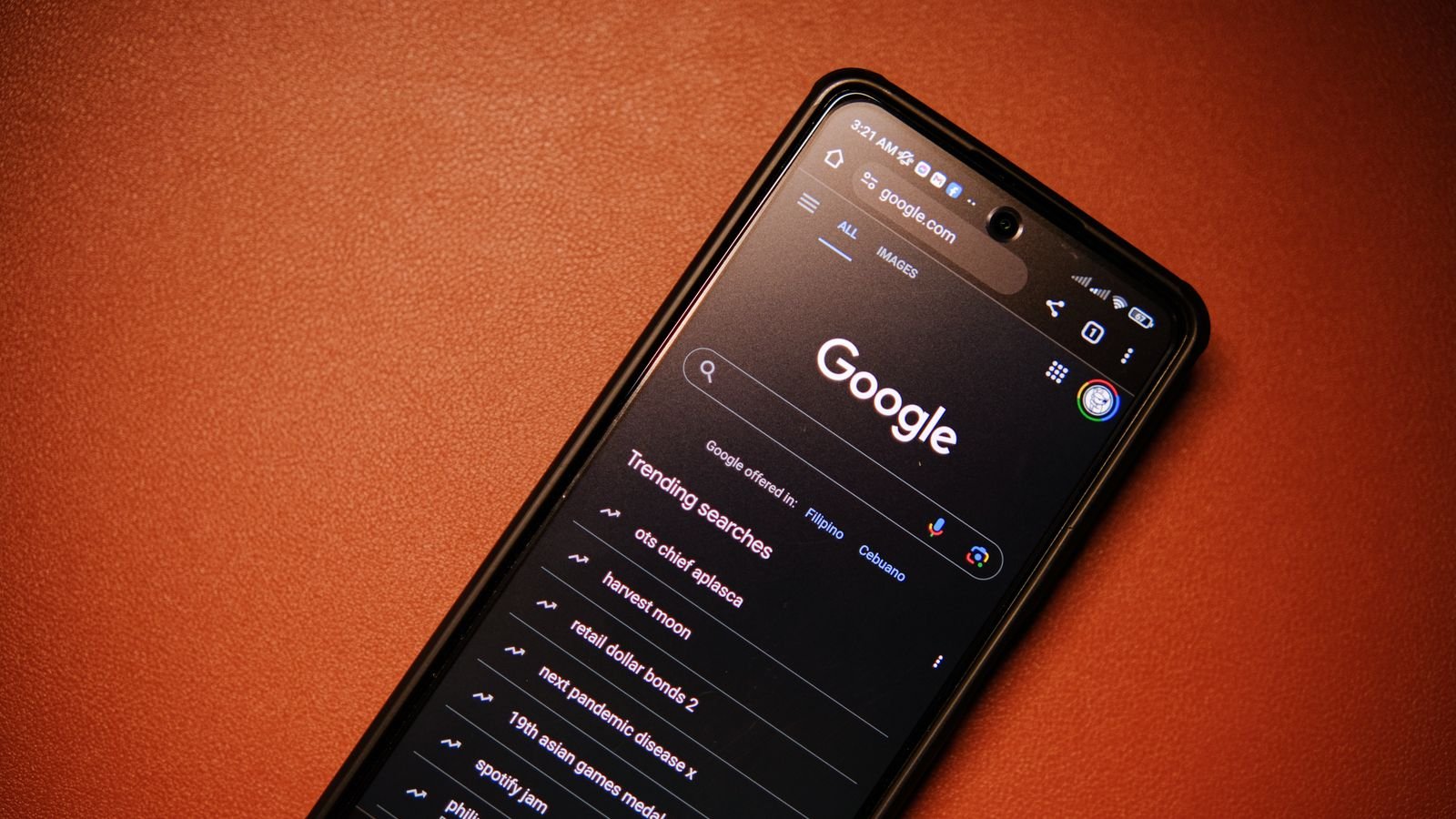
Does dark mode save battery? Yes, but far less than most people think, and only on phones with an OLED or AMOLED screen. Purdue University researchers measured just 3% to 9% savings at the 30-50% brightness most of us use indoors.
Crank the screen to full brightness, though, and the saving jumps to 39% to 47%. So your brightness setting decides most of it. Section 3 has a second brightness catch that changes how you should use dark mode.
⚡ Key takeaways
- Indoors, at normal brightness: dark mode saved only 3-9% of power on OLED phones in Purdue’s tests. Most people won’t notice.
- Outdoors in bright sun (100% brightness): savings rose to 39-47%. That’s where dark mode really pays off.
- LCD phones: little or no benefit, because the backlight stays on behind a black screen. Many budget phones in India still use LCD.
- Brightness matters more than colour: lowering brightness saves power whether the screen is light or dark.
- Turn it on anyway if you like it. It costs nothing, and on an OLED phone it never hurts battery life.
Does Dark Mode Save Battery? It Depends on Your Screen
Phone screens come in two kinds. An LCD screen has a backlight that lights up the whole panel all the time.
When the screen shows black, the liquid crystals block that light, but the backlight is still on and still drawing power. So switching an LCD phone to dark mode changes how it looks, not how much power the screen uses in any big way.
An OLED or AMOLED screen works pixel by pixel. Purdue’s researchers explain that because OLED has no backlight, the screen draws less power when it shows dark-coloured pixels. A pure black pixel is close to switched off.
Purdue notes that most smartphones launched after 2017 likely use OLED. In India that’s true for most mid-range and flagship phones, but plenty of budget phones still ship with LCD panels to keep costs down, including Samsung’s Galaxy A07. Section 4 shows you how to check yours in 30 seconds.
What the Tests Actually Show: Purdue and Google
You’ll see two sets of numbers quoted everywhere. They look like they disagree. They don’t; they measure different situations.
Purdue University (2021): small savings at normal brightness
Purdue’s team, led by Professor Charlie Hu, measured 60 seconds of use in six popular Android apps: Google Maps, Google News, Google Phone, Google Calendar, YouTube and Calculator. They tested four OLED phones (Pixel 2, Moto Z3, Pixel 4 and Pixel 5) and presented the work at MobiSys 2021, an Association for Computing Machinery conference.
Their key finding: at 30% to 50% brightness, switching from light mode to dark mode saved only 3% to 9% power on average. The researchers point out that auto-brightness tends to keep screens around 30% to 40% indoors, which is how most people use their phones. Purdue’s own headline sums it up: dark mode may not save as much battery as you think.
At 100% brightness the picture changes. The same study found average savings of 39% to 47%.
Google (2018): white is the most expensive colour
At its 2018 Android Dev Summit, Google showed that colours on an OLED screen don’t all cost the same, as reported by 9to5Google. Black sits at the low end of the power scale and white at the top, and blue takes 25% more power than green or red.
Google’s YouTube case study found dark mode cut the display’s battery draw by 60% compared with the normal white look. Google’s bright white Material Design apps were part of the problem, and one Googler said so plainly: “We kind of shot ourselves in the foot, slightly, in terms of power” (9to5Google).
| Situation | Screen type | Dark mode saving (as measured) | Source |
|---|---|---|---|
| Indoors, auto-brightness around 30-50% | OLED | 3-9% of power on average | Purdue 2021 |
| Bright sunlight, 100% brightness | OLED | 39-47% of power on average | Purdue 2021 |
| YouTube app, display power only | OLED | Up to 60% less display draw | Google 2018, via 9to5Google |
| Any brightness | LCD | Little or none (backlight stays on) | How LCD works, per Purdue |
📝 Note
The Google figure is for the display alone, in one app that’s mostly white in light mode. The Purdue range covers six apps and four phones. Neither tells you how many extra hours you’ll get, because the screen is only one part of what drains your battery.
 Also readStop Wasting Battery Life: 9 Free Settings for Android and iPhone
The Catch: Brightness Matters More Than Colour
On an OLED phone, the brightness level you pick changes power use more than the colour of the app does. I find this the most useful part of the whole study.
Purdue’s Pranab Dash found that lower brightness in light mode can use the same power as higher brightness in dark mode. Their example: the Google News app in light mode at 20% brightness on a Pixel 5 drew the same power as the same app at 50% brightness in dark mode.
So if you keep your screen dim, dark mode adds very little on top. If you crank brightness up on a sunny afternoon, dark mode helps a lot, because it limits how much power those bright pixels can pull.
That second case is common in India. Checking Google Maps on a scooter at noon, reading WhatsApp at a sunny bus stop, or scrolling at a cricket ground pushes auto-brightness to its maximum. Turning on dark mode then can cut screen power sharply.
⚠️ Watch out
Don’t trust your phone’s per-app battery list to measure this. Purdue found Android’s Battery screen ignores what’s on the display, so it doesn’t count the effect of dark mode. You won’t see a difference there even when there is one.
The practical takeaway? Keep auto-brightness on, use dark mode on an OLED phone, and you get the best of both. For bigger wins, our 9 free battery settings for Android and iPhone covers screen timeout, Battery Saver and background apps.
Is Your Phone OLED or LCD? How to Check in 30 Seconds
You need to know this before dark mode makes sense for battery. The quickest way is to search your exact model’s spec sheet on the brand’s website, Flipkart or Amazon, and read the “Display” line.
| If the spec sheet says | Screen type | Does dark mode save battery? |
|---|---|---|
| AMOLED, Super AMOLED, Dynamic AMOLED, pOLED, OLED, LTPO OLED | OLED | Yes, more at high brightness |
| LCD, IPS LCD, PLS LCD, TFT LCD | LCD | Little or none |
| iPhone (any model) | Check Apple’s tech specs page for “OLED” or “LCD” | Yes on OLED, little on LCD |
Some real examples from official pages:
- Samsung Galaxy A07 (4GB/64GB): Samsung India’s spec page lists a PLS LCD screen. Dark mode is a style choice here, not a battery saver.
- Apple iPhone 11: Apple’s technical specifications list an LCD display with IPS technology. Purdue says its findings might apply to Apple phones starting with the iPhone X, but that logic only holds for OLED models, not LCD ones like this.
- Motorola Edge 70 Neo: Flipkart’s launch page lists a 6.8-inch 1.5K AMOLED at up to 144Hz. We covered it in our Edge 70 Neo India launch post. Dark mode will help on a phone like this.
💡 Pro tip
A quick test at home: go to a dark room, open a fully black image and turn brightness up. If the screen glows grey around the edges, it’s LCD. If the black looks like the phone is switched off, it’s OLED.

How to Turn On Dark Mode: Android, iPhone, WhatsApp, Chrome
It takes under a minute. Turn it on system-wide first, then check the apps that have their own setting.
Android
- Open Settings and tap Display.
- Turn on Dark theme.
- For one-tap switching, use the Dark theme tile in Quick Settings.
Google’s Android Help says some steps work only on Android 13 and up, and that many apps also go dark when Battery Saver is on. Menu names vary on Samsung, Xiaomi, Vivo and other skins, so search “dark” in Settings if you can’t find it. Some phones also have an Expanded option that forces dark mode on apps that don’t support it, and Google warns images may look altered.
iPhone
- Go to Settings > Display & Brightness.
- Select Dark, or select Automatic and tap Options to set a schedule.
- You can also touch and hold the brightness bar in Control Centre and tap Dark Mode.
WhatsApp (Android)
WhatsApp’s Help Center says: tap the three dots, then Settings > Appearance > App Theme, and choose Dark mode. Pick System default to match your phone’s setting.
Chrome (Android)
Open Chrome, tap the three dots, then Settings > Theme, and choose Dark or System default. Google says System default also turns Chrome dark when Battery Saver is on.
 Also readPhone Charging Slowly? 9 Causes and the Fix for Each
Our Verdict: Who Should Use Dark Mode for Battery
Dark mode is a small battery win on OLED phones and a big one only at high brightness. On LCD phones it does almost nothing for battery. Who gains most?
- Use it, OLED owners who spend time outdoors: delivery partners, field sales staff, students walking between classes, anyone using maps in the sun. This is the 39-47% situation.
- Use it if you like it, OLED owners indoors: expect a few percent at best. It’s still free, easier on the eyes at night, and won’t hurt.
- Don’t expect much, LCD owners: dark mode won’t stretch your battery in any noticeable way. Lower brightness and a shorter screen timeout will do more.
- Everyone: keep auto-brightness on. It does more for battery than any colour scheme.
✅ Our verdict
Turn on dark mode if your phone has an AMOLED or OLED screen, especially if you use it outdoors. Indoors the gain is small, so don’t expect an extra hour. If your battery still runs out early, the cause is more likely an ageing battery or apps running in the background than your theme, so check your battery health next.
Frequently Asked Questions
Does dark mode save battery on all phones?
No. It only saves meaningful power on OLED and AMOLED screens, where dark pixels use less energy. On LCD screens the backlight stays on, so the saving is little or none.
How much battery does dark mode save?
Purdue University’s tests found 3-9% less power at 30-50% brightness, and 39-47% at 100% brightness, on OLED phones. The real-world gain in hours depends on how much of your battery the screen uses compared with apps, network and the processor.
Is pure black better than dark grey?
On OLED, black is the lowest-power colour, according to Google’s 2018 research reported by 9to5Google. Dark grey still saves power compared with white, just a little less than pure black.
Does dark mode save battery on iPhone?
On iPhones with OLED screens, it should help in the same way. Purdue tested only Android phones but says its findings might apply to Apple phones starting with the iPhone X. Check your model’s display type on Apple’s tech specs page. LCD models like the iPhone 11 won’t gain much.
Is dark mode better for your eyes?
Many people find it more comfortable in low light, and Apple describes Dark Mode as a viewing option for low-light environments. Purdue’s work suggests you can raise brightness a little in dark mode without using more power than light mode at a lower setting.
The Bottom Line
So, does dark mode save battery? On an OLED phone, yes: a little indoors, a lot in bright sunlight. On an LCD phone, barely at all. Check your phone’s display type in its spec sheet today, turn dark mode on if it says AMOLED or OLED, and keep auto-brightness switched on.
Keep reading

 Read nextCheck Your Phone’s Battery Health in 2 Minutes (Android, iPhone)
 Read nextPhone Overheating? 7 Real Causes and the Fixes That Work
Sources
- Purdue University: Dark mode may not save your phone’s battery life as much as you think (28 Jul 2021)
- 9to5Google: Google encouraging dark themes in Android apps to conserve battery life (Android Dev Summit 2018)
- Android Help: Change to Dark theme on your Android device
- Apple Support: Use Dark Mode on your iPhone and iPad
- Apple Support: iPhone 11 technical specifications (LCD display)
- WhatsApp Help Center: How to use dark mode
- Google Chrome Help: Browse in Dark mode or Dark theme
- Samsung India: Galaxy A07 specs (PLS LCD)