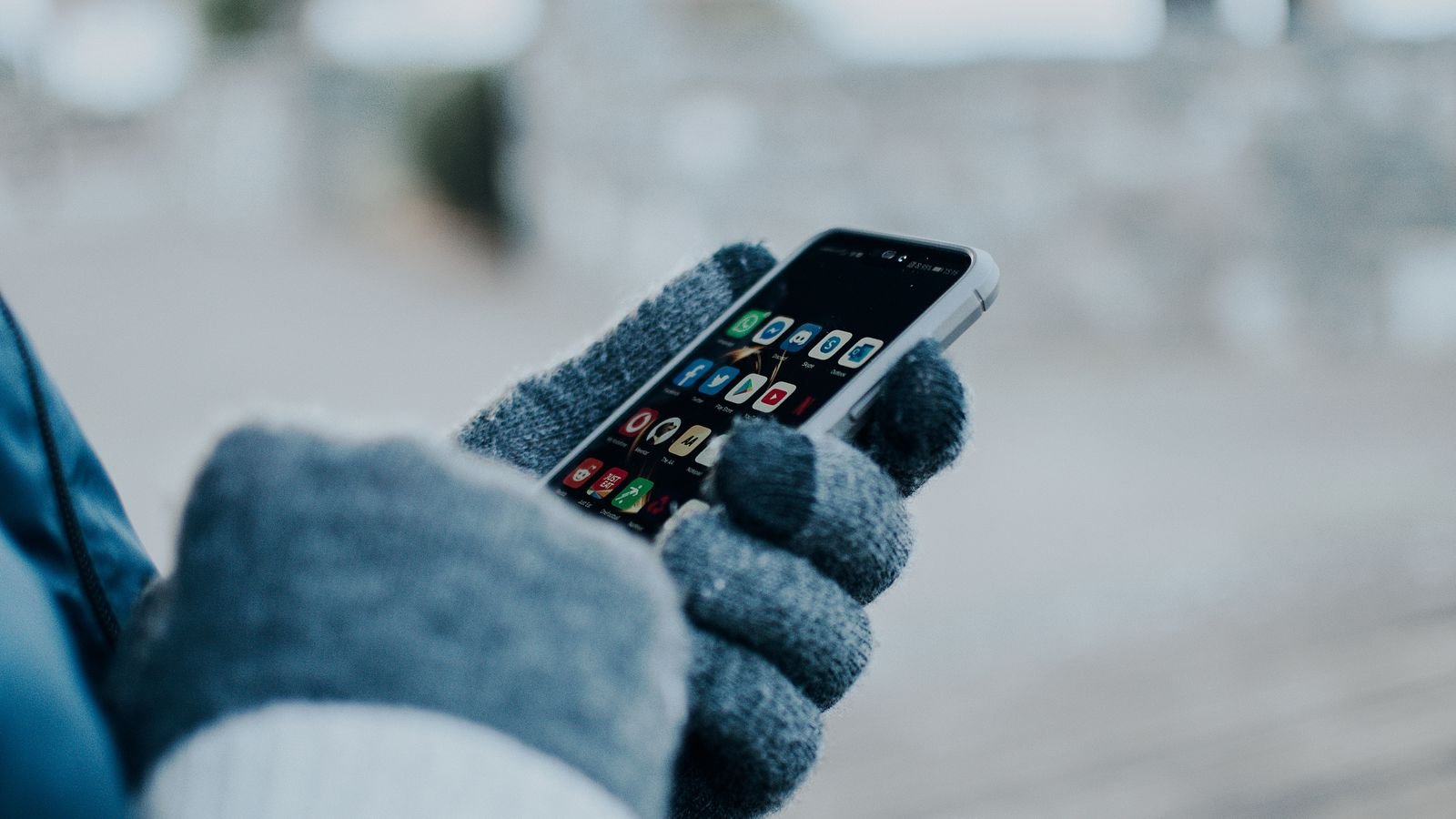
Your phone battery drains in cold weather because the chemistry inside a lithium-ion cell slows down when it’s chilly, so the battery can’t hand over power as easily. The good news: Apple and Google both say this is mostly temporary, and the charge comes back once the phone warms up.
So if your phone died at 30% on a foggy Delhi morning or on the Atal Tunnel road to Manali, your battery probably isn’t ruined. But there is one winter habit that can cause real, permanent damage, and most people do it without thinking. That’s in section 4.
⚡ Key takeaways
- Why it happens: cold slows lithium ions and raises the battery’s internal resistance, so the phone sees a weaker battery than it really has.
- Official range: Apple says iPhones are designed for 0°C to 35°C. Google says a Pixel may shut down suddenly below 0°C.
- Mostly temporary: Apple says battery life returns to normal when the phone is back in warmer air.
- The real risk: charging a lithium-ion battery below freezing can cause permanent damage (lithium plating).
- Who should read this: anyone heading to the hills, riding a bike at 6 a.m., or living in north India’s cold-wave belt.
Why Your Phone Battery Drains in Cold Weather
A phone battery is not a tank of electricity. It’s a chemical reaction. Lithium ions move between two sides of the cell, and that movement is what powers your screen, camera and 5G radio.
LG Energy Solution, one of the world’s big battery makers, puts it simply: lower temperatures slow the movement of lithium ions and increase the battery’s internal resistance. The liquid electrolyte inside also gets thicker, so ions struggle to move through it.
Battery University, a long-running battery reference site, adds that internal resistance rising in the cold “noticeably” affects discharge performance. In plain terms, the battery still holds its energy, but it can’t deliver it fast enough when the phone suddenly asks for a lot, like when you open the camera or a map.
Why the percentage jumps around
This is why you see odd numbers in winter. The phone estimates charge partly from the battery’s voltage. When a cold battery is under load, that voltage dips, and the phone reads it as “almost empty”.
Bring the phone indoors, let it warm up, and the reading often recovers. The energy didn’t come back from nowhere. It was there all along; the cold just made it hard to reach.

What Apple, Google and Samsung Actually Say
Brands don’t hide this. It’s right there in their support pages, which almost nobody reads.
Apple says iPhone and iPad are designed for use where the air temperature is between 0°C and 35°C, and should be stored between -20°C and 45°C. Using one in very cold conditions outside that range “might temporarily shorten battery life”, it might not charge or could stop charging, and battery life “will return to normal” in warmer air. Apple’s battery page also calls 16°C to 22°C the ideal comfort zone.
Google has a device temperature page for Pixel phones with a “Cold” state. It says that if your phone’s temperature is below 0°C, it may shut down suddenly, and you should let it warm up gradually.
Samsung India’s support page on battery temperature is mostly about heat. It lists using the phone for long periods in very hot or cold temperatures as one cause of temperature trouble, and says that when this happens, charging can stop and running apps may close until things settle.
The common thread
All three treat cold as a protection problem, not a defect. The phone shuts down or slows charging to protect the battery, not because it’s broken.
 Also readPhone Overheating? 7 Real Causes and the Fixes That Work
Where This Hits Indians Most in Winter
Most of India never gets close to 0°C, so why does this keep happening? Because the phone doesn’t feel the city’s average temperature. It feels the air around it right now, plus wind.
| Situation | What the phone goes through | Risk level |
|---|---|---|
| Bike ride at 6 a.m. in Delhi, Lucknow or Chandigarh | Cold air plus wind chill, phone in a jacket’s outer pocket or a mobile holder on the handlebar | Faster drain, sudden shutdown on a navigation app |
| Manali, Shimla, Mussoorie trip | Night temperatures near or below freezing, phone left on a car dashboard or bedside table | Shutdowns, slow or blocked charging |
| Ladakh, Spiti or a snow trek | Long hours well below freezing, heavy camera and GPS use | Biggest risk; never charge the phone while it’s frozen |
| Car parked overnight in a cold-wave city | The cabin cools down; a phone or power bank left inside gets cold | Slow start, odd percentage readings in the morning |
| AC or heater blowing straight at the phone | Google mentions AC vents as one way a phone gets cold | Usually mild |

Earbuds and power banks too
Your earbuds and power bank use the same lithium-ion chemistry. A power bank left in a bike’s under-seat storage overnight will give you less on a cold morning. Earbuds in a jacket’s outer pocket during a long ride may run out sooner than usual, and because their batteries are tiny, they have even less to spare.
The Catch: Don’t Charge a Freezing Phone
⚠️ Watch out
Never plug in a phone, earbuds or power bank that is below freezing. Battery University says consumer lithium-ion batteries cannot be charged below 0°C, and charging them anyway causes metallic lithium to plate on the anode, a permanent loss of performance and safety.
Using a cold phone is mostly harmless. Charging a frozen one is the habit that turns a temporary problem into a permanent one.
Battery University explains that the pack can seem to charge normally while this damage happens. You won’t see a warning. You’ll just notice, weeks later, that the battery is weaker than it should be.
What the right temperature is
Battery University’s guide gives these ranges for regular lithium-ion cells:
- Best results: charge between 10°C and 30°C.
- Below 5°C: charging current should be reduced.
- Below 0°C: no charging at all.
Good phones manage this themselves. Apple says an iPhone that’s too cold might not charge or could stop charging, and that’s a feature, not a fault. The danger is with cheap power banks and accessories that may not protect the battery as carefully. Our guide on spotting a fake charger with the BIS Care app helps you avoid the worst of them.
7 Fixes to Keep Your Phone Alive in Winter
None of these cost anything, and most take a few seconds.
- Use the inner pocket. Keep the phone in a jacket’s inside pocket or a trouser pocket close to your body, not in an outer pocket or a bag hanging off a scooter.
- Skip the handlebar mount on cold rides. For a 6 a.m. ride, put the phone in your pocket and use earphones or voice directions. If you must mount it, expect faster drain.
- Warm it up slowly. Google’s advice is to let a cold phone warm up gradually. Don’t put it on a heater, geyser pipe or next to a bonfire to speed things up.
- Wait before you charge. After coming in from the cold, give the phone time to reach room temperature before plugging it in.
- Keep the power bank warm too. Carry it in an inside pocket or your daypack, not in the dicky of the car overnight.
- Start the day charged. LG Energy Solution suggests keeping devices at around 80–90% when you can. A fuller battery gives you more cushion before the cold makes it shut down.
- Turn on Battery Saver before you leave. On a hill trip, switch on Battery Saver or Low Power Mode, and download offline maps over hotel Wi-Fi so GPS isn’t fighting a weak signal.
💡 Pro tip
If the phone dies in the cold, don’t keep pressing the power button. Put it in an inside pocket and give it time to warm up. Once it’s warm, it will often turn on and show more charge than you expected.
 Also readPower Bank on Flight in India: The 2026 Rules Before You Pack
Temporary Drain or a Worn-Out Battery? How to Tell
Here’s the honest test. If the phone behaves badly only in the cold and is fine indoors, that’s the cold. If it drains fast at room temperature too, the battery is probably ageing, and winter is just making it obvious.
Signs it’s just the cold
- It shuts down outside but turns back on after warming up.
- The percentage jumps up after a few minutes indoors.
- Charging is slow only when the phone has just come in from outside.
Signs the battery itself is weak
- It drains fast even indoors at room temperature.
- It shuts down at 20–30% on a normal day at home.
- Battery health shows a low number in settings.
Our guide to checking phone battery health on Android and iPhone shows where to find that number on iPhone, Pixel and Samsung. If it’s fine, try the everyday habits in our battery life guide before you think about a replacement.
Can cold cause any permanent damage?
Using the phone in the cold, mostly no. Apple calls cold-weather battery loss temporary, and LG Energy Solution says the effect usually recovers at least partly once temperatures rise. LG does warn that rapid temperature swings can stress battery materials over time, which is one more reason to warm the phone gradually. And charging below freezing, as covered in section 4, is the clear exception.
Our Verdict: Winter Phone Checklist
✅ Our verdict
Don’t panic if your phone battery drains in cold weather or dies at 30%: it’s usually the chemistry slowing down, not a dead battery. Keep the phone close to your body, warm it up slowly, and never charge it while it’s frozen. If it misbehaves indoors too, check battery health before you blame winter.
My honest take: the cheapest winter upgrade for your phone is a jacket with a good inside pocket. Before your next hill trip, run through this quick list:
- Phone and power bank at 80–90% before you leave.
- Offline maps downloaded on Wi-Fi.
- Battery Saver or Low Power Mode on.
- Phone in an inner pocket, power bank in your daypack.
- No charging until both are back at room temperature.
Frequently Asked Questions
Why does my phone battery drain faster in winter?
Cold slows the movement of lithium ions inside the battery and raises its internal resistance. The battery can’t deliver power as easily, so the phone drains faster or even shuts down. Apple says the effect is temporary and battery life returns to normal in warmer air.
Why does my phone turn off at 30% in the cold?
A cold battery’s voltage dips when the phone asks for power, so the phone thinks it’s nearly empty and shuts down to protect itself. Google says a Pixel may shut down suddenly below 0°C. Warm the phone up gradually and it will usually switch on again.
Is it safe to charge my phone in cold weather?
Not when the phone itself is below freezing. Battery University says consumer lithium-ion batteries should not be charged below 0°C because it causes permanent lithium plating. Let the phone reach room temperature first; its best charging range is about 10°C to 30°C.
Does cold weather permanently damage phone batteries?
Normal cold use usually doesn’t. Apple calls the battery loss temporary. Charging while frozen can cause permanent damage, and repeated sudden temperature swings can stress the battery over time.
Should I warm my phone on a heater after it dies in the cold?
No. Google advises letting a cold phone warm up gradually. Put it in an inside pocket or leave it in a warm room. Direct heat from a heater or fire can push it too far the other way.
The Bottom Line
When your phone battery drains in cold weather, it’s mostly a temporary slowdown in the battery’s chemistry, and it bounces back once the phone warms up. The only habit that can do lasting harm is charging a frozen phone, earbuds or power bank.
Next step: before your next early ride or hill trip, move your phone to an inside pocket and charge it to about 80–90% at room temperature. Then, if it still drains fast indoors, check its battery health.
Keep reading
 Read nextCheck Your Phone’s Battery Health in 2 Minutes (Android, iPhone)
 Read nextStop Wasting Battery Life: 9 Free Settings for Android and iPhone

Sources
- Apple Support: If your iPhone or iPad gets too hot or too cold (0–35°C operating, -20–45°C storage, temporary battery loss, may not charge)
- Apple: Maximizing battery life and lifespan (16–22°C comfort zone, cold loss is temporary)
- Google Pixel Help: device temperature states (Cold state, may shut down below 0°C, warm up gradually)
- Samsung India Support: managing battery temperature
- Battery University BU-410: Charging at high and low temperatures (no charge below 0°C, lithium plating, 10–30°C best)
- LG Energy Solution: Do batteries die faster in cold weather? (ion movement, internal resistance, partial recovery, 80–90% tip)