
WhatsApp scheduled messages are finally here. You type the message, press and hold the send button, and pick a date and time anywhere from 10 minutes to 14 days ahead, in personal chats and groups.
WhatsApp announced it on 25 November 2026 and says it’s rolling out globally “over the coming weeks”, so you may not have it yet. There’s also one group-chat catch that can make a birthday wish skip the newest member, and I’ve explained it in section 5.
⚡ Key takeaways
- How: type your message, press and hold send, choose the date and time. That’s it.
- Window: from 10 minutes to 14 days ahead, for text, photos and videos, in 1:1 and group chats.
- Phone off? The message still goes out on time, and it stays end-to-end encrypted, per WhatsApp.
- Don’t see it? Update WhatsApp from the Play Store or App Store. If it’s still missing, wait; the rollout is gradual.
- Skip: GB WhatsApp and other “scheduler” mods. WhatsApp says unofficial apps can get your account banned.
WhatsApp Scheduled Messages: What Was Announced on 25 November
The company posted the news on its official blog on 25 November 2026, calling WhatsApp scheduled messages “one of our most requested features”. The idea is simple. You remember something at 11 pm, but the right time to send it is tomorrow morning.
Here’s what the official post confirms:
- You can schedule a message from 10 minutes to 14 days later.
- It works in 1:1 chats and group chats.
- It works with text, photos and videos.
- The person receiving it sees it like any other message. There’s no “scheduled” tag on their side.
- You can see all your upcoming messages and delete any of them before they go out.
- It’s delivered even if your phone is off or the battery is dead, and it remains end-to-end encrypted, so WhatsApp says even it can’t read it.
The phone-off part is the big one. Older workarounds, like an Android automation app or an iPhone Shortcut, needed your phone to be awake and online at the exact minute. Here, WhatsApp handles delivery on its own side, as Beebom also reported from the beta.

How to Schedule a WhatsApp Message (Step by Step)
The steps are the same on Android and iPhone, based on WhatsApp’s announcement and the beta walkthroughs from WABetaInfo (via Beebom and 9to5Mac).
Schedule it
- Open the personal chat or group where the message should go.
- Type your message. You can also attach a photo or a video.
- Press and hold the send button (don’t just tap it).
- A date and time picker opens. Choose when the message should arrive.
- Confirm with the button at the bottom. In the beta, this button showed the exact delivery time before you confirmed.
Once it’s scheduled, beta testers saw a small confirmation in the chat that only they could see. The other person sees nothing until the message actually arrives.
Things that trip people up
- Tapping instead of holding sends the message right away. It has to be a long press.
- Under 10 minutes isn’t allowed. If you want it in five minutes, just send it in five minutes.
- Two weeks is the limit. You can’t line up a New Year wish on 15 December. Schedule it after 18 December instead.
💡 Pro tip
Double-check AM and PM before you confirm. “12:00” means midnight for a birthday wish but noon for a lunch reminder, and a wrong pick means your midnight wish lands at lunchtime.
 Also readTwo-Step Verification on WhatsApp, Gmail, Instagram in 10 Minutes
How to See, Change or Delete a Scheduled Message
WhatsApp’s post says you can see all the messages you’ve lined up and delete them beforehand if you change your mind.
In the beta builds, scheduled messages sat in a dedicated section of the chat info screen (or group info for groups), per WABetaInfo’s reports as covered by 9to5Mac. Beebom’s report also says you can edit pending messages there. WhatsApp’s own post only mentions seeing and deleting, so if you don’t find an edit option, delete the message and schedule a fresh one.
Quick way to manage them
- Open the chat where you scheduled the message.
- Tap the contact or group name at the top to open chat info.
- Look for the scheduled messages section.
- Delete anything you no longer want to send.
⚠️ Watch out
A deleted scheduled message never reaches the other person, so there’s no “This message was deleted” note. But once a scheduled message has gone out, it’s a normal message. After that, the usual “Delete for everyone” rules apply.
Why You Don’t See the Option Yet
WhatsApp says scheduled messages are “rolling out globally over the coming weeks”. That’s the usual pattern for new features. It switches them on for a slice of users at a time, so your friend may have it while you don’t.
What you can do
- Update WhatsApp. On Android, open the Play Store, search WhatsApp and tap Update. On iPhone, open the App Store, tap your profile picture and update WhatsApp from the list.
- Restart the app after updating.
- Try a long press on send in any chat. If the date and time picker doesn’t open, the feature hasn’t reached your account yet.
- Wait a few days and check again. There’s no setting to switch it on manually. During beta testing, 9to5Mac noted there was no way for testers to enable it themselves either.
The feature first appeared for some Android beta testers in October (Beebom reported it on version 2.26.40.7), then for some iPhone beta testers. Joining a beta just for this isn’t worth it for most people. Beta builds can be buggy, and the public rollout has already started.
WhatsApp Scheduled Messages: The Catches and Limits
Most of the rules are simple. Two of them, both found by beta testers, can quietly mess up a message to a family group.
| What | How it works | Source |
|---|---|---|
| Time window | 10 minutes to 14 days ahead | WhatsApp blog |
| Chats | 1:1 and group chats | WhatsApp blog |
| Content | Text, photos and videos | WhatsApp blog |
| Phone off at send time | Still delivered on time | WhatsApp blog |
| Encryption | End-to-end encrypted, like normal messages | WhatsApp blog |
| New group members | Don’t get it if they joined after you scheduled | WABetaInfo via 9to5Mac, Beebom (beta) |
| Several photos at once | In beta, each photo or video had to be scheduled separately | WABetaInfo via 9to5Mac (beta) |
| Channels | Not mentioned by WhatsApp | – |
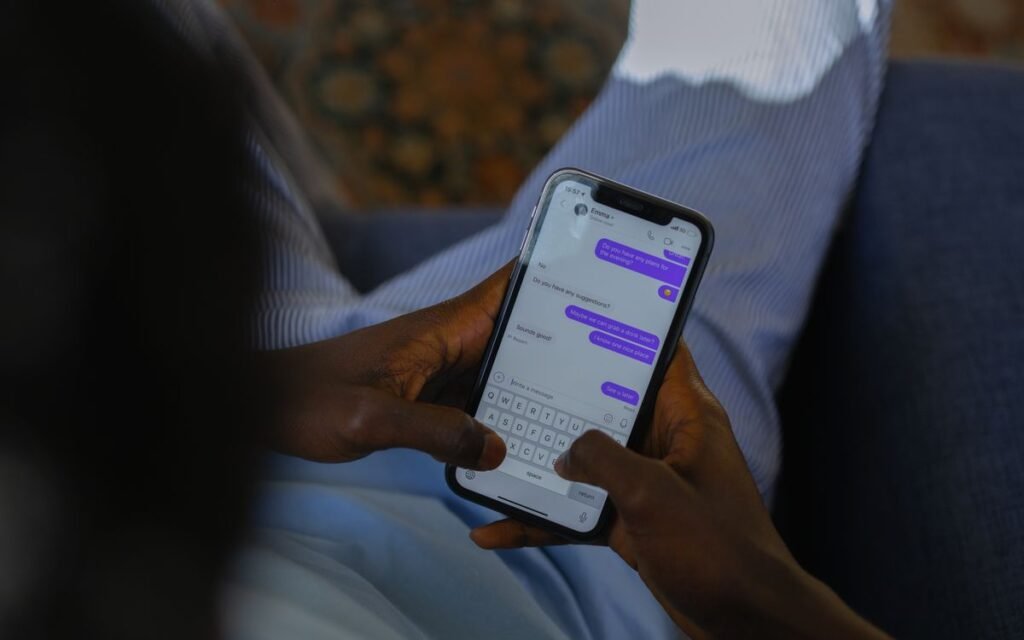
The group chat catch
In the beta, a scheduled group message went only to people who were members when you scheduled it. 9to5Mac, citing WABetaInfo, says anyone who joins afterwards won’t receive it, even if they join before the message is sent.
So imagine you schedule a Diwali or New Year message in the family group on Monday, and your cousin’s new wife is added on Wednesday. She won’t get it. The fix is easy: if the group has changed, delete the scheduled message and schedule it again.
The “one photo” catch
The beta reports also said you couldn’t schedule an album. Each photo or video went as a separate scheduled message. That may change in the final version, so check when you get the feature. Until then, schedule one good photo rather than ten.
⚠️ Watch out
The 14-day limit is official. The “member when scheduled” rule comes from beta testing, and WhatsApp’s post doesn’t mention it, so treat it as reported rather than confirmed. If a group has changed since you scheduled a message, play safe and schedule it again.
Smart Ways to Use WhatsApp Scheduled Messages at Home
I’ll be honest: I expect most people to use this for birthdays and not much else. But a few everyday uses are worth trying.
Wishes that land on time
- Midnight birthday wishes. Write it at 10 pm, set it for 12:00 AM, and go to sleep. You’re “first” without staying up.
- Exam-morning luck. Your niece’s board exam starts at 10 am. Schedule “All the best, beta!” for 7:30 am, when she’s having breakfast and not yet in the hall.
- Festival and New Year wishes. Schedule them up to 14 days ahead, so your message lands at the right time even if you’re travelling.
- Friends abroad. WhatsApp’s own example is a birthday message that lands at midnight in a friend’s time zone. For family in the US, Canada or the Gulf, work out their local time first and pick the matching Indian time.
Reminders for parents and the family group
- Medicine or check-up reminders for parents, set for the morning of the appointment.
- Bill dates: a nudge to yourself or your spouse before the electricity bill or credit card due date. If you pay bills inside WhatsApp, our guide on paying bills on WhatsApp shows how.
- Society or office groups: schedule the “Meeting in 15 minutes” reminder ahead of time, so you’re not typing while you’re driving.
💡 Pro tip
You can schedule a message to yourself too. Open your own chat (search your name or number in WhatsApp) and schedule a reminder there. It’s a free, simple reminder app.
 Also readPhone Safety for Parents: 9 Settings to Fix on Your Diwali Visit
Skip GB WhatsApp and “Scheduler” Apps
For years, people in India used modded apps like GB WhatsApp, or Play Store “auto-send” apps, just to schedule messages. Now there’s no reason to.
WhatsApp’s Help Center is blunt about unofficial apps such as GB WhatsApp, FM WhatsApp and TM WhatsApp. It says using them or linking your account to them breaks WhatsApp’s Terms of Service. It also warns that they might carry malware that can steal your data, and that your account could be temporarily or permanently banned.
If you use one now
- Back up anything important you can.
- Uninstall the unofficial app.
- Install the official WhatsApp from the Play Store or App Store and register your number again.
- Turn on two-step verification, which our WhatsApp two-step verification guide walks you through.
The Help Center also says it can’t guarantee a chat history transfer from an unofficial app, so do this sooner rather than later.
✅ Our verdict
Use it. Scheduled messages are free, built in and end-to-end encrypted, and they fix the midnight-wish problem properly. If you don’t see the option yet, update WhatsApp and give it a few days. Just remember the group rule: if people join the group after you schedule, delete the message and schedule it again.
Frequently Asked Questions
How do I schedule a message on WhatsApp?
Type your message in any chat, then press and hold the send button instead of tapping it. A date and time picker opens; choose a time between 10 minutes and 14 days ahead and confirm. The feature is rolling out gradually, so update WhatsApp if you don’t see the picker.
Why can’t I see the schedule message option in WhatsApp?
WhatsApp is rolling the feature out globally over several weeks from 25 November 2026, so it reaches accounts in batches. Update the app from the Play Store or App Store and try a long press on send again. There’s no setting to switch it on yourself.
Will a scheduled WhatsApp message be sent if my phone is off?
Yes. WhatsApp says scheduled messages still arrive at the chosen time even if your phone is switched off or the battery has run out. They stay end-to-end encrypted like normal messages.
Does the other person know the message was scheduled?
No. WhatsApp says a scheduled message looks like any other message to the person who receives it. Only you see that it was scheduled.
Can I schedule a WhatsApp message more than two weeks ahead?
No. The limit is 14 days. For anything further out, set a calendar reminder to schedule it later.
Is GB WhatsApp safe for scheduling messages?
No. WhatsApp’s Help Center says unofficial apps like GB WhatsApp break its terms, may carry malware and can get your account banned. Use the official app’s built-in scheduling instead.
The Bottom Line
WhatsApp scheduled messages are finally official. Press and hold send, pick a time from 10 minutes to 14 days ahead, and the message goes out even if your phone is off. If you don’t have it yet, update WhatsApp and check again over the next few days.
Next step: once it shows up, schedule a test message to yourself for 10 minutes later. You’ll know exactly how it works before the next birthday at midnight. And while you’re in WhatsApp, it’s a good time to free up WhatsApp storage too.
Keep reading
 Read nextWhatsApp HD Photo Setting: Stop Blurry Diwali Pics in 1 Tap

 Read nextPay Bills on WhatsApp: Electricity, FASTag and More in 6 Taps
Sources
- WhatsApp Blog, 25 Nov 2026: Say it at the right time with scheduled messages (10 min to 14 days, 1:1 and groups, phone off, E2EE, global rollout)
- WhatsApp Help Center: About unofficial WhatsApp apps (GB WhatsApp, Terms of Service, malware, bans)
- Beebom: WhatsApp message scheduling rolling out to Android beta, version 2.26.40.7 (group delivery, phone offline, manage section)
- 9to5Mac, 22 Oct 2026: WhatsApp starts testing scheduled messages on iPhone (via WABetaInfo: group members, one media item, chat info section)