
A fake shopping website usually gives itself away in under five minutes, if you know where to look. The web address, the age of the domain and the way it wants your money tell you most of what you need. Black Friday is live on Amazon India from 27 November and Cyber Monday falls on 30 November, so this is exactly the week the copies come out.
Most people check the price and the logo. Scammers copy both perfectly. The check that actually catches them is about payment, and it’s waiting for you in section 5.
⚡ Key takeaways
- Type the address yourself. Open amazon.in or the brand’s own app directly. Don’t buy from an Instagram or Facebook ad link, a WhatsApp forward or a sponsored search result.
- Check the domain’s age and spelling. A “brand store” registered a few weeks ago, or one ending in an odd extension like .shop, is a big warning sign.
- Payment is the real tell. If a site only takes UPI to a personal ID, asks for a “booking fee” or refuses cash on delivery, walk away.
- Already paid? Call 1930 or file at cybercrime.gov.in straight away, then call your bank. Speed matters more than anything else.
Why Fake Shopping Websites Peak Around Black Friday
Sale weeks give scammers perfect cover. Everyone expects big discounts, countdown timers and “limited stock” banners, so a fake store doesn’t look strange. Amazon’s own India newsroom says its Black Friday sale started on 27 November with “up to 80% off” on phones and electronics, and a 10% instant discount on HDFC Bank and Axis Bank credit cards. Copycats simply borrow those headlines.
Last year’s numbers show the scale. Security firm CloudSEK found more than 2,000 fake shop websites ahead of Black Friday 2025, Digit reported. One cluster had over 750 linked domains, and more than 170 of them spoofed Amazon. Another had upwards of 1,000 .shop domains copying brands such as Apple, Samsung and Xiaomi.
India’s own agencies are warning about the same thing. On 21 October 2026, CyberDost, the awareness handle of the Indian Cyber Crime Coordination Centre (I4C), flagged fake ads that use well-known brand logos and sale designs to push people to lookalike sites. In July, Kerala Police warned about fake Facebook pages posing as Flipkart and selling phones and laptops in “clearance sales” at impossible prices.
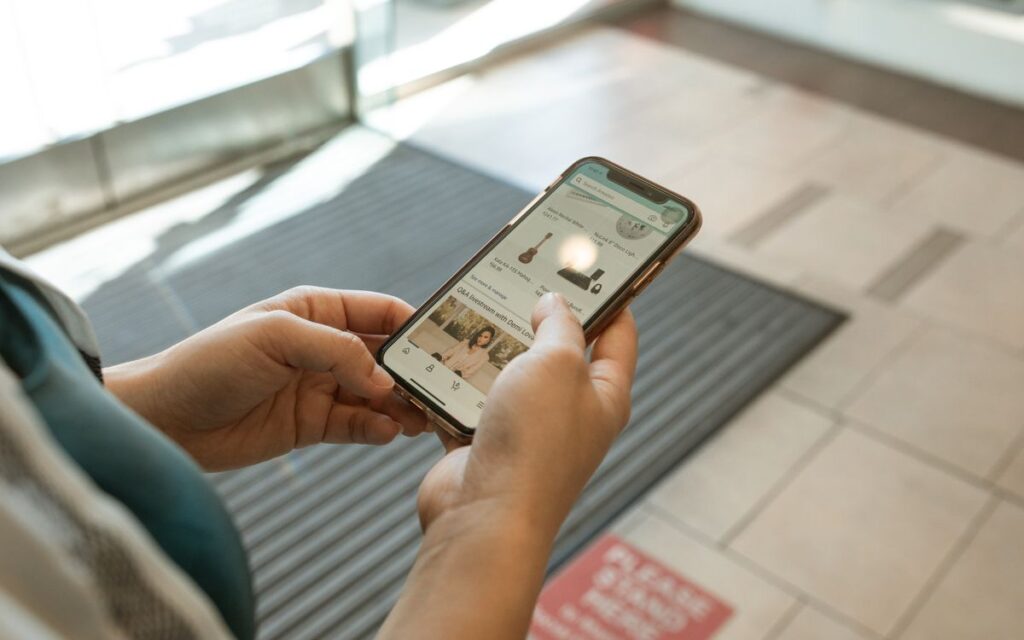
Checks 1 to 3: The Address Bar Tells You Most of It
Before you look at a single product, look at the web address. This is where a fake shopping website is weakest, because the scammer can copy the design but can’t own the real domain.
Check 1: Read the domain letter by letter
The real ones are short and boring: amazon.in, flipkart.com, croma.com, or the brand’s own .com or .in site. Fakes add words or swap letters, like “amazon-blackfriday-offer” or “flipkart-sale-in”, or end in .shop, .store, .top or .xyz. CloudSEK’s list was full of .shop domains copying real brands.
Check 2: Don’t arrive by ad or forward
Kerala Police described how the fake Flipkart ads worked: tap the post and you land on a cloned site or a private WhatsApp number run by the scammer. I4C’s advice is blunt. Avoid ads and links from unknown sources, and skip the sponsored results at the top of Google. Type the address or open the official app.
Check 3: How old is this “brand store”?
Go to ICANN Lookup, ICANN’s free registration-data tool, and enter the domain. Look for the creation or registration date. Owner names are often hidden for privacy, which is normal, but the date usually shows.
💡 Pro tip
A big brand’s site is years old. If “Samsung India Mega Sale” was registered last week, you have your answer. Close the tab.
 Also readFake Delivery SMS: 5 Signs Your “Parcel” Text Is a Scam
Checks 4 and 5: Run It Through Google and the Cybercrime Portal
Two free tools can catch a fake shopping website before you ever type your card number. Neither is perfect, so treat a clean result as “not reported yet”, not “safe”.
Check 4: Google’s Safe Browsing site status
Open the Safe Browsing site status page in Google’s Transparency Report and paste the address. It tells you whether Google currently flags the site as dangerous, without you having to visit it. Google’s own Search Central help says Safe Browsing warns people about pages that pretend to be a trusted brand or trick visitors into sharing details.
Check 5: The government’s suspect list
On cybercrime.gov.in, go to Report & Check Suspect, then Suspect Repository. You can check a website or app, plus a UPI ID, phone number or email that the “seller” gave you. As Siasat pointed out, the list depends on complaints, and scammers keep making new IDs, so a miss proves nothing.
| Tool | What you paste | What it tells you | Limit |
|---|---|---|---|
| ICANN Lookup | Domain name | Registration date, registrar | Owner details often hidden |
| Google Safe Browsing site status | Full web address | Whether Google flags it as unsafe | Brand-new fake sites may not be flagged yet |
| cybercrime.gov.in Check Suspect | Website, app, UPI ID, phone | Whether others reported it | Built from complaints, not complete |
| Brand’s official app or site | Product name | The real price and sale | None, this is your baseline |
Check 6: Price, Pages and Reviews That Don’t Add Up
Fake stores love an unreal price, because it pushes you past your doubts. CloudSEK flagged 70 to 90% discounts on premium brands as a classic sign. An iPhone or a Galaxy S-series phone at a fraction of its price is not a Black Friday deal.
Search the same model on the brand’s own site or Amazon and compare. If the gap is huge, the “deal” is the bait.
Next, scroll to the bottom of the page. A real retailer shows a proper returns policy, a registered company name and a support channel that works. Fakes often have blank or copied “Contact us” pages, only a WhatsApp number, or a policy that names another country’s address.
Reviews deserve a second look too. CloudSEK said the fake stores used festive banners, countdown clocks, fake reviews and fake “someone just bought this” pop-ups. Five-star reviews that all sound the same, posted on the same day, are not reassuring.
If you’re comparing real sale prices, our Black Friday deal check shows how to read price history and bank offers on genuine stores.
Check 7: How You Pay Is the Biggest Red Flag
Here’s the catch from the top of the post. A fake shopping website can copy logos, banners and reviews all day long. What it can’t copy is a real payment gateway with buyer protection. So the checkout page usually gives the game away.
⚠️ Watch out
Walk away if a “store” asks you to pay to a personal UPI ID or scan a QR code shared on WhatsApp, wants an advance “booking fee”, “delivery charge” or “offer confirmation” first, or refuses cash on delivery for no good reason.
Kerala Police listed exactly these demands in the fake Flipkart cases: booking fees, advance payments and delivery charges, and then the scammers stopped replying. I4C also says don’t make advance payments to sellers you can’t verify. It suggests choosing cash on delivery where possible, so you see the product before you pay.
A few more payment rules worth keeping:
- Your UPI PIN is only for sending money. If a site asks you to “enter PIN to receive cashback”, it’s taking money, not giving it. Our guide to fake UPI payment screenshots covers the related seller-side trick.
- Never share an OTP, CVV or card PIN over WhatsApp or a call, even with “customer care”.
- Watch where the checkout goes. CloudSEK warned about checkouts that quietly jump to an unrelated site. If the address changes mid-payment, stop.
- Lock what you don’t use. If you rarely shop abroad, turning off international card use limits the damage from a stolen card.
 Also readMoney Missing From Bank Account? RBI’s 3-Day Rule Can Save You
Already Paid a Fake Shopping Website? Do This in the First Hour
Don’t wait to see whether the parcel turns up. The faster you report, the better the chance your bank and the police can hold the money before it moves on.
- Call 1930 or file at cybercrime.gov.in. This is the national cybercrime helpline for financial fraud. Kerala Police and the Sanchar Saathi portal both point people who’ve lost money here.
- Call your bank or card issuer. Block the card or freeze UPI if needed, and ask them to raise a fraud dispute. Note the complaint number.
- Save the evidence. Screenshot the website, the ad, the order page, the UPI ID or account number, and the payment receipt. Copy the full web address.
- Report the fraud message. If the link reached you by call, SMS or WhatsApp, report it on Chakshu in the Sanchar Saathi portal. Chakshu is for suspected fraud messages; lost money still goes to 1930.
- Report the ad and the site. Use “Report ad” on Instagram or Facebook. Report the address to Google too, so Safe Browsing can catch it for the next person.
- Change passwords if you created an account or reused a password on the fake site. Our leaked password check shows how.
💡 Pro tip
Keep a short note with the time you paid and the time you called 1930. Banks and police ask for this, and it’s hard to remember once the panic sets in.
Our Verdict: Where to Shop Safely This Black Friday
Honestly, the safest rule is the simplest one. Shop only inside the official app or a web address you typed yourself, and treat every ad, forward and “exclusive link” as a pointer, not a door. If an offer in an ad is real, you’ll find the same offer on the official site.
When a store looks tempting but unfamiliar, run it through ICANN Lookup and Google’s site status, and check the seller’s UPI ID on the cybercrime portal. Two minutes, tops. Then look hard at the payment page, because that’s where fakes slip up.
✅ Our verdict
Buy only from the official app or a typed web address. Skip any store that is weeks old, wants UPI to a personal ID or an advance fee, or blocks cash on delivery. If you’ve already paid, call 1930 first and your bank second, within the hour.
Who should be extra careful? Parents and older relatives who get “sale” links on family WhatsApp groups. Forward them this checklist before Cyber Monday on 30 November.
Frequently Asked Questions
How can I check if a shopping website is fake?
Read the web address carefully, check the domain’s registration date on ICANN Lookup, and paste the address into Google’s Safe Browsing site status page. Then compare the price with the brand’s official site. A fake shopping website usually fails at least one of these.
Is a website with a padlock (https) safe?
No. The padlock only means the connection is encrypted. Scam sites can get one too, so it says nothing about whether the seller is real.
What should I do if I paid on a fake website?
Call 1930 or report at cybercrime.gov.in right away, then call your bank to block the card or UPI and raise a dispute. Save screenshots of the site, the ad and the payment.
Are Instagram and Facebook sale ads safe to buy from?
Some are genuine, but fake ads copying Flipkart and other brands have been reported by Kerala Police and I4C. Don’t buy through the ad link. Open the brand’s official app and look for the same offer.
Is cash on delivery safer on unknown sites?
It’s safer than paying upfront, because you don’t hand over money before something arrives. But you can still get a fake or wrong product, so check the parcel before paying if the courier lets you.
The Bottom Line
Real Black Friday deals exist. So do thousands of copies. Before you pay on any store you reached through an ad or a forward, spend two minutes on the address, the domain age and the payment page. If you’re unsure, close it and open the official app instead.
Keep reading
 Read nextBlack Friday Sale 2026 in India: Is That Deal Actually Real?

 Read nextFake Discount or Real Deal? Check Any Sale Price in 2 Minutes
Sources
- About Amazon India: Black Friday Sale 2026 live from 27 November, up to 80% off, HDFC/Axis offer
- Digit: CloudSEK found 2,000+ fake Black Friday store sites, 170+ spoofing Amazon (Nov 2025)
- Digit: CyberDost (I4C) warning on fake festive sale ads and shopping sites (22 Oct 2026)
- Kerala Kaumudi: Kerala Police warning on fake Flipkart pages and clearance-sale ads (7 Jul 2026)
- Google Search Central: social engineering (deceptive) pages and Safe Browsing warnings
- Google Transparency Report: Safe Browsing site status
- ICANN: Lookup tool for domain registration data
- Sanchar Saathi: Chakshu for suspected fraud communication; 1930 for money lost
- Siasat: how the cybercrime.gov.in suspect repository works and its limits (Jan 2025)