
If your phone fell in water, take it out, switch it off if it’s acting strange, unplug everything and let it air-dry with the port facing down. Don’t charge it, don’t heat it, and don’t bury it in rice: Apple’s own support page says rice particles can damage the phone.
That’s most of the answer. The part that actually decides whether the phone survives is when you plug the charger back in, and Apple’s number for that is longer than most people guess (it’s in section 4).
⚡ Key takeaways
- First 60 seconds: pull it out, unplug any cable, wipe it, and don’t press buttons repeatedly.
- No rice, no hair dryer, no cotton buds in the port. Apple and Samsung both say no external heat and no objects in the port.
- Air-dry with the port facing down in a dry spot with moving air. A fan on cool works.
- Don’t charge until it’s fully dry. Apple says wait at least 5 hours after the phone is completely dry before cable charging.
- IP68 isn’t a guarantee. Apple, Google and Samsung all say water resistance wears down, and liquid damage isn’t covered by standard warranty.
- For: anyone whose phone just took a dip in a bucket, puddle, toilet or this week’s cyclone rain.
Phone Fell in Water: The First 60 Seconds
Speed matters most in the first minute, mainly because a wet phone that’s still charging or connected to earphones is at the highest risk. Here’s what to do straight away:
- Get it out of the water and unplug any cable or accessory from the phone and from the wall.
- Wipe the outside with a soft cloth, a dupatta or a cotton T-shirt. Pat, don’t rub water into the gaps.
- Hold it with the charging port facing down and gently tap it against your palm. Apple recommends exactly this to shake out water from the connector.
- Take the case off. Cases trap water around the edges and the port.
- Leave the SIM tray closed for now. Apple says to make sure the phone is dry before you open the SIM tray.
If the screen is flickering, the phone is rebooting by itself, or it’s getting warm, switch it off. A phone that seems fine and dried quickly can be left on, but don’t start testing every button and the camera repeatedly. Each press can push water further in.
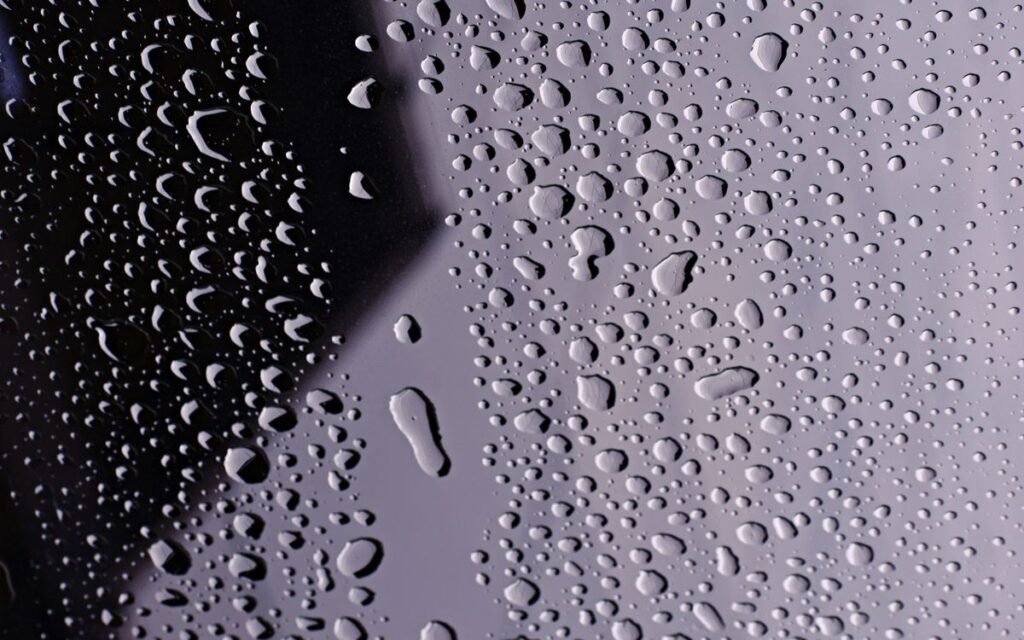
What Not to Do: Rice, Hair Dryers and Cotton Buds
Most of the damage after a dunk is done by well-meaning fixes. Apple’s and Samsung’s support pages agree on the big three.
Don’t put it in rice
This is the one everyone in the family will suggest. Apple’s support page on liquid detection says not to place the iPhone in a bag of rice, because small particles of rice can damage it. Rice dust and broken grains can get into the speaker grille and the charging port, which is the exact spot you’re trying to clear.
Rice also doesn’t “pull” water out of sealed electronics. What dries a phone is air moving over it.
Don’t use heat
Apple says don’t dry it with an external heat source or compressed air. Samsung India’s moisture tips say the same: no heat dryer, no external heat. So no hair dryer, no pressure cooker top, no keeping it on the gas stove ledge or in hot afternoon sun. Heat can warp adhesive seals and hurt the battery, and compressed air can blow water deeper in.
Don’t poke the port
Both Apple and Samsung say not to insert objects into the charging port. That includes cotton buds, tissue twists, toothpicks and safety pins. You can bend the tiny contact pins or leave fibre behind.
💡 Pro tip
If your phone has wireless charging, Apple and Samsung both say you can use it while the port dries, as long as the back of the phone is dry and wiped first. It’s the safe way to keep a half-dead phone alive overnight.
 Also readPhone Overheating? 7 Real Causes and the Fixes That Work
How to Dry a Wet Phone Properly
The goal is simple: dry air moving across the phone for several hours.
The setup that works
- Keep the phone port side down on a dry cloth, or propped so the port faces the floor.
- Put it near a fan on cool or a window with a breeze. Apple says a fan blowing cool air into the connector may help, and Samsung India says the same about cool air only.
- Pick a dry room. On a humid Chennai or Mumbai evening, an air-conditioned room dries a phone faster than a balcony.
- For a muffled speaker, Apple suggests placing the phone speaker-side down on a lint-free cloth to see if water drips out. Sound usually comes back as the water evaporates.
If it went into dirty water, tea or the sea
Apple’s water-resistance page says that for liquids other than water, you should rinse the affected area with tap water, then wipe it with a soft, lint-free cloth. That advice is for iPhone models Apple lists as water resistant. Sugar, salt and soap dry into a sticky or crusty layer that corrodes contacts, which is worse than clean water.
For an older phone with no water-resistance rating, skip the rinse, dry the outside and take it to a service centre if it’s not behaving normally after drying.
When Can You Charge It Again? The Real Catch
⚠️ Watch out
Charging a wet phone is what turns a scare into a repair bill. Apple says to unplug all cables and wait at least 5 hours after the phone is completely dry before charging with a cable or connecting an accessory. It also warns that charging with liquid in the port can corrode the pins and cause permanent damage.
The trap is that “dry” is later than you think. The screen can look perfect in 20 minutes while the port is still damp.
What the warnings on your phone mean
- iPhone: iPhone XS and later can show “Liquid Detected in Lightning Connector” or “Liquid Detected in USB-C Connector” and block charging. Apple says wait at least 30 minutes and try again; if the alert comes back, drying can take up to 24 hours. There’s an emergency override, but Apple advises against it.
- Samsung Galaxy: a water drop icon or “Moisture detected” means the port is damp. Samsung India says drying could take several hours and to try charging again after a few hours.
If the moisture alert keeps coming back after a day, or shows up with every cable even when the phone is dry, Samsung India says moisture may still be inside the port and to contact customer care or a service centre. Apple says the same pattern with every cable means the phone may need service.
| Situation | Wait before cable charging | Source |
|---|---|---|
| iPhone shows liquid alert | At least 30 min, then retry; up to 24 hours | Apple |
| iPhone fully dry after a dunk | 5 more hours after it’s completely dry | Apple |
| Galaxy “moisture detected” | Several hours, then retry | Samsung India |
| Alert won’t clear after a day | Stop trying; visit service | Apple, Samsung India |

Is Your Phone Waterproof? What IP68 Really Means
No phone is waterproof. Google’s Pixel help page says Pixel phones are designed to meet IP68 under IEC standard 60529 when they leave the factory, but they’re not waterproof, and the rating “will diminish or be lost over time” with normal wear, drops or repairs.
Apple’s ratings show how much they vary between models:
| iPhone models | Rating | Lab test depth |
|---|---|---|
| iPhone 12 to iPhone 17 series, iPhone 16e, iPhone Air, 17e | IP68 | 6 m for up to 30 min |
| iPhone 11 Pro, 11 Pro Max | IP68 | 4 m for up to 30 min |
| iPhone 11, XS, XS Max | IP68 | 2 m for up to 30 min |
| iPhone SE (2nd/3rd gen), XR, X, 8, 7 | IP67 | 1 m for up to 30 min |
These are lab results in still fresh water. Apple specifically says to avoid swimming or bathing with the phone, showers and high-pressure water, and saunas or steam rooms.
The warranty catch
Apple’s page states that liquid damage isn’t covered under warranty. Google’s Pixel page says liquid damage voids the warranty. So an IP68 sticker protects you from a splash, not from a repair bill. If you buy extended plans, check whether they cover accidental and liquid damage; our extended warranty guide explains what most Indian plans actually include.
After It Dries: A 5-Point Check (and When to Go to Service)
Once the phone has dried for several hours and has been fine for a while, test it in this order:
- Charging: plug in with the original cable. If the liquid alert shows, unplug and wait longer.
- Speaker and mic: play a voice note and record one. Muffled sound right after a dunk often clears in a day.
- Cameras: look for fog inside the lens. Fog means moisture got inside the body.
- Touch and buttons: check the edges of the screen and every button.
- Battery: watch for the phone getting warm while idle, or the percentage dropping fast. Our guide to checking battery health shows where to look on Android and iPhone.
Go to service if
- The phone won’t switch on after a full day of drying.
- There’s fog under the camera glass or a patch on the display.
- It gets hot without heavy use, or the back starts to lift.
- The moisture alert won’t clear after 24 hours.
Go to an authorised service centre, not a roadside shop, if the phone is still under any warranty or plan. Opening it elsewhere can void what’s left of your cover. Samsung India lists WhatsApp support at 1800-5-726-7864, available 24/7, on its support pages.
 Also readExtended Warranty Worth It? A 2-Minute ₹ Test Before You Pay
✅ Our verdict
Unplug, tap the port down, air-dry near a cool fan, and don’t charge for hours. Skip the rice, the hair dryer and the cotton buds. If it’s an IP68 phone that took a quick dip in clean water, it’ll very likely be fine; if it was salt water, tea or a long soak, dry it and get it checked.
Frequently Asked Questions
Should I put my wet phone in rice?
No. Apple’s support page says not to put an iPhone in a bag of rice because small rice particles can damage it. Air-drying with the port facing down near a cool fan is the method Apple and Samsung recommend.
How long should I wait before charging a phone that fell in water?
Apple says to wait at least 5 hours after the phone is completely dry before charging with a cable. If your phone shows a liquid or moisture alert, keep it unplugged until the alert clears, which can take up to 24 hours on iPhone.
My phone fell in water but is working. Is it safe?
Probably, if it’s water-resistant and the dunk was short and in clean water. Still dry it fully before charging, and watch for fog in the camera, a muffled speaker or unusual heat over the next few days.
Does warranty cover water damage on IP68 phones?
Usually not. Apple says liquid damage isn’t covered under its warranty, and Google says liquid damage voids the Pixel warranty, even though both phones are IP68 rated. Accidental damage plans are a separate purchase.
Can I use a hair dryer to dry my phone?
No. Apple says not to use an external heat source or compressed air, and Samsung India says not to use a heat dryer. Use a fan on a cool setting instead.
The Bottom Line
A phone that fell in water needs air, time and patience, not rice or heat. Unplug it, drain the port, dry it for hours and only then try the charger.
If the phone doesn’t recover and you’re shopping for a replacement, read our checklist on buying a used phone in India before you pay anyone.
Keep reading
 Read nextPhone Overheating? 7 Real Causes and the Fixes That Work
 Read nextNew Phone Setup: 9 Things to Do Before You Use It
Sources
- Apple Support: If you see a liquid-detection alert on your iPhone (no rice, no heat, 30 min to 24 hours)
- Apple Support: Splash, water and dust resistance of iPhone (IP ratings, rinse, 5-hour charging wait, warranty)
- Samsung India: Moisture handling tips for mobile phones
- Google Pixel Help: IP68 footnotes, not permanent, liquid damage and warranty