Bluetooth not connecting is almost never a broken phone. Usually the earbuds aren’t in pairing mode, the car’s memory is full of old phones, or another device has quietly grabbed the connection. All of that takes a few minutes to fix at home.
Most guides jump straight to “reset network settings”. That reset works, but on an iPhone the same menu also has an option that deletes your eSIM. Fix 9 shows what each reset really erases.
⚡ Key takeaways
- Start with the basics: Bluetooth off and on, restart both devices, keep them close, and put the accessory in real pairing mode.
- Forget and re-pair: remove the device on your phone, and unpair it from your laptop or TV too. Apple and Google both list this.
- Car won’t pair? Clear old phones from the car’s memory. Some head units hold only five, and connect one at a time.
- Last resort: reset Bluetooth and Wi-Fi settings. It also wipes saved Wi-Fi networks, so note your passwords first.
Bluetooth Not Connecting? Spot Your Problem First
“Bluetooth not connecting” can mean four different things, and each has its own fix. Spend a minute working out which one you’ve got.
The device doesn’t show up in the list at all. It’s probably not in pairing mode, it’s too far away, or an app doesn’t have permission to look for it. Fixes 1, 2 and 7 are for you.
It shows up but won’t pair, or pairs and drops. Old pairing data on either side is the usual cause. Start with fixes 3 and 4.
It says “Connected” but there’s no sound. That’s a different setting, and fix 5 covers it. Calls working but no music (or the reverse) points the same way.
Car stereo only. Car head units have their own limits and menus. Fix 6 is written for them.
Quick test: try the same earbuds or speaker with another phone at home. If it pairs there, the problem is your phone; if it fails everywhere, look at the accessory.
Fixes 1 and 2: Restart, Get Close, Use Real Pairing Mode
Boring, I know. But Google’s own Bluetooth help page starts right here, and these steps sort out a lot of “it just stopped working” moments.
Fix 1: Off, on, restart, and move closer
- Turn Bluetooth off, wait about 5 seconds (Apple’s car guide suggests this), and turn it on again.
- Restart your phone and the accessory. For a speaker or headphones, switch them off and on.
- Charge the accessory. Apple’s checklist asks you to make sure it’s fully charged or plugged in, and to replace batteries if it uses them.
- Bring the two close. boAt lists the typical Bluetooth range for its Airdopes as about 10 metres, and walls cut that down. For Google’s Fast Pair pop-up, the phone needs to be within 0.5 metres of the accessory.
Fix 2: Put the accessory into pairing mode properly
A new accessory, or one you’ve reset, won’t appear on your phone unless it’s in pairing mode. Samsung India’s support page says this plainly, and it’s an easy step to skip.
Every brand does it differently. A few examples from official pages:
- Galaxy Buds3 and Buds3 Pro: buds in the case, lid open, hold the pairing button on the bottom of the case for more than 3 seconds. The light flashes blue, red and green.
- Galaxy Buds2 and Buds2 Pro: buds in the open case, press and hold both buds for more than 3 seconds.
- boAt Airdopes Ultra Pro: pairing mode shows as alternating red and blue flashes on one bud.
If a phone or car asks for a PIN, boAt and Kia both give 0000 as the default. For other models, check the manual.
💡 Pro tip
Start pairing mode right before you tap Pair on your phone, not five minutes earlier. If the earbuds have dropped out of the list, put them back in the case, close it and start pairing mode again.
 Also readOne Earbud Not Working? 9 Fixes for Android and iPhone
Fixes 3 and 4: Forget, Re-pair and Clear Old Devices
When a device that worked last week suddenly refuses, the saved pairing is often the problem. Both sides keep a record of the other, and if one side’s record is stale, they won’t talk.
Fix 3: Forget the device and pair again
Apple’s support page gives a clean order: unpair the accessory, put it back in discovery mode, then pair and connect again. Samsung and Google say the same.
| Phone | Where to forget the device |
|---|---|
| Android (Pixel and most others) | Settings > Connected devices > Saved devices (or Bluetooth) > settings icon next to the device > Forget |
| Samsung Galaxy | Settings > Connections > Bluetooth > settings icon next to the device > Unpair |
| iPhone | Settings > Bluetooth > info button next to the device > Forget This Device |
Then put the accessory back in pairing mode before you tap Pair new device. Skip that step and the phone won’t see it.
Fix 4: Unpair it from your other devices too
Apple adds one more line that’s easy to miss. If the accessory pairs with some devices but not yours, unpair it from those other devices first.
In an Indian home that list grows fast: your phone, your sibling’s phone, the smart TV, the old laptop. Unpair the ones you don’t use, so the speaker stops wandering off to a laptop in the next room.
Fix 5: Connected but No Sound? Check Media and Call Audio
The phone says “Connected”. Music still blares from the phone speaker anyway. Annoying, and surprisingly common.
Android lets you switch off sound types for each Bluetooth device. Google’s steps:
- Open Settings > Connected devices (tap Bluetooth if you see it).
- Tap the settings icon next to your car or accessory.
- Turn on Media audio for music and Phone audio for calls.
Google also says to check that another paired device isn’t playing the music or taking your calls. A smartwatch or a second pair of earbuds can grab the audio without telling you.
Also turn the volume up on both ends. And Google points out that not every car can play music over Bluetooth, so if calls work but songs don’t, check the car’s manual before blaming your phone.
Fix 6: Car Stereo Not Connecting? Clear Its Memory
Cars tend to be the most stubborn Bluetooth devices, mostly because their memory fills up. Every family member, driver and guest who ever paired a phone may still be in there.
Clear old phones from the car, not just from your phone
Google’s Android Help page splits this into two jobs. Forget the car on your phone, then clear old phones from the car’s own list using the car’s manual. After both are clean, pair again.
This matters more than it sounds. One of Kia’s India owner’s manuals (for a 2021 model’s infotainment system) says you can register up to five devices, and the system connects with only one device at a time. If five phones are already saved, a sixth simply can’t join until you delete one.
Tips from Apple, Samsung and Kia
- Search from the car instead. Samsung India suggests searching for your phone from the car’s Bluetooth system rather than the other way round. Google also says to check the manual to see whether your car pairs from the phone or from the car.
- Rename your iPhone. If several phones have connected to your car stereo, Apple suggests giving yours a new name in Settings > General > About > Name, then connecting again. That matters when three phones in the family are all called “iPhone”.
- Allow contacts and call history. Google’s steps include tapping Allow access to your contacts and call history when the car asks.
- Update the stereo. Apple says to make sure your car stereo has the latest firmware from the car maker. Ask your service centre at the next service if you can’t find it in the menus.
⚠️ Watch out
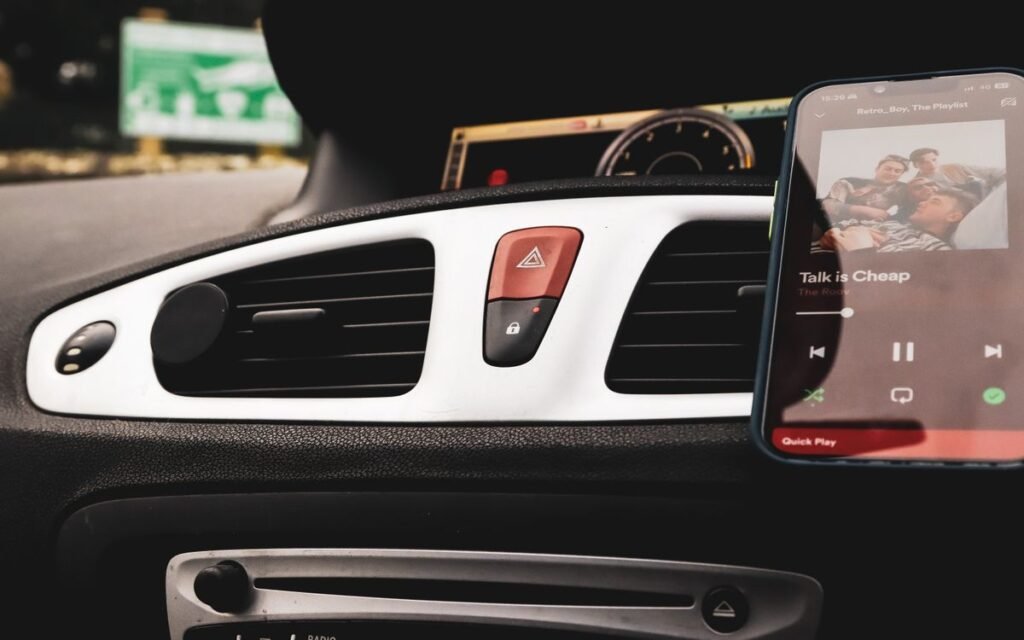
Park before you pair. Kia’s manual says to pair Bluetooth devices only when the car is parked somewhere safe. Fiddling with menus while driving is how accidents start.
Fixes 7 and 8: Two Phones, One Pair of Buds, and App Permissions
Newer earbuds and apps bring their own headaches: buds that juggle two devices, and apps that aren’t allowed to look for Bluetooth gear.
Fix 7: Give the app permission to find nearby devices
On recent Android versions, apps need the Nearby devices permission to find and connect to Bluetooth hardware. Google’s Android Help describes it as permission to find, connect to and work out the position of nearby devices.
If your earbuds’ app, a fitness band app or a smart bulb app says “no devices found”, check this:
- Open Settings > Apps and tap the app.
- Tap Permissions > Nearby devices.
- Choose Allow.
On iPhone, Apple’s page says to go to Settings > Privacy & Security > Bluetooth and make sure Bluetooth is turned on for the app you use with the accessory.
Fix 8: Multipoint earbuds fighting over two devices
Lots of earbuds now stay connected to your phone and laptop together. Great for office calls, until the laptop keeps stealing the audio.
Noise’s support page for its ALT Buds explains how its version works. The buds play from one device at a time, and you have to pause playback on the first device before the second can play. The device already in use keeps priority. Noise also says a 3 to 4 second delay while switching is normal.
So if your buds “won’t connect” to your phone, check whether a YouTube video is still playing on your laptop. Pause it, or turn off Bluetooth on the laptop. Noise says dual pairing can be turned on or off in the Noise Audio app, which helps if you mostly use one device.
Fix 9: Reset Bluetooth and Wi-Fi Settings (Read This First)
When nothing else works, resetting your phone’s connection settings clears out corrupted pairing data. It fixes a lot of stubborn cases. But each phone’s reset erases more than Bluetooth, so know what you’re tapping.
| Phone | Menu path | What it erases (per official help pages) |
|---|---|---|
| Google Pixel | Settings > System > Reset options > Reset Bluetooth & Wi-Fi | Saved networks and Bluetooth pairings |
| Samsung Galaxy | Settings > General management > Reset > Reset Wi-Fi and Bluetooth settings | Saved Bluetooth, Wi-Fi and other connection info |
| iPhone | Settings > General > Transfer or Reset iPhone > Reset > Reset Network Settings | All network settings, saved Wi-Fi networks and VPN settings; phone name goes back to “iPhone” |
None of these delete your photos, chats or apps. But you’ll need every Wi-Fi password again, and every speaker, watch and car will need pairing again. Find your home Wi-Fi password first with our guide to seeing a saved Wi-Fi password on Android and iPhone.
⚠️ Watch out
On iPhone, the Reset menu also lists Delete All eSIMs. Apple’s guide says this deletes every eSIM on the phone, and you’d need a new eSIM or a physical SIM to get mobile service back. It has nothing to do with Bluetooth, so tap carefully if you use a Jio, Airtel or Vi eSIM. Our eSIM guide explains how to get one back if it happens.
And don’t touch “Erase All Content and Settings” or a factory reset. Those wipe your data.
Still Not Connecting? Updates, Diagnostics and Service
Tried all nine and still nothing? Then it’s either software on one side or a hardware fault. Check these before you spend a rupee.
Update the phone and the accessory
Samsung and Apple both list a software update as a fix. On a Galaxy, go to Settings > Software update > Check for updates. On iPhone, Settings > General > Software Update.
Earbuds and headphones have firmware too. The boAt Hearables app listing mentions over-the-air updates for supported models, and its Smart Diagnostics feature can flag Bluetooth issues. boAt notes the diagnostics find firmware problems, not hardware faults.
Run a built-in Bluetooth test
Samsung phones have one. Open the Samsung Members app > Support > Get started, then pick Bluetooth and follow the steps. It tells you whether the phone’s own Bluetooth is working.
When it’s time for service
Apple says to contact Apple Support if Bluetooth won’t turn on, the toggle is greyed out, or no accessory connects at all. Samsung India offers chat, WhatsApp support and service centres. Honestly, a phone that connects to nothing is a service job; earbuds that skip one phone usually aren’t.
✅ Our verdict
Most Bluetooth failures come down to pairing mode, stale pairing data or another device grabbing the connection. Run fixes 1 to 8 first, since they cost nothing and erase nothing. Reset network settings only after that, with your Wi-Fi passwords saved, and keep away from the eSIM option on iPhone. If no accessory connects at all, it’s a service centre job.
Buying new earbuds instead? Our pick of the best earbuds under ₹1,500 in India lists budget models. And if you mostly want your phone on the big screen, read how to cast your phone to a TV instead.
Frequently Asked Questions
Why is my Bluetooth not connecting to my earbuds?
Usually the earbuds aren’t in pairing mode, they’re still connected to another device, or the old pairing on your phone is stale. Put the buds in the case, open the lid, start pairing mode, forget them on your phone and pair again.
Why won’t my phone connect to my car’s Bluetooth?
The car’s memory may be full or hold an old record of your phone. Forget the car on your phone, delete old phones from the car using its manual, then pair again. Kia’s manual, for example, allows five registered devices and connects one at a time.
Does resetting network settings delete anything important?
On Pixel and Samsung it clears saved Wi-Fi networks and Bluetooth pairings. On iPhone, Apple says all network settings go, including saved Wi-Fi networks and VPN settings, and the phone is renamed “iPhone”. Your photos, apps and chats stay. Don’t confuse it with Delete All eSIMs or Erase All Content.
Why does Bluetooth say connected but there’s no sound?
Check Media audio and Phone audio in the device’s Bluetooth settings on Android. Also make sure no other paired device, such as a laptop or watch, is playing the audio.
The Bottom Line
Bluetooth not connecting is usually a pairing problem. Your phone is probably fine. Put the accessory in pairing mode, forget and re-pair it, clear old phones from your car and check app permissions. Reset network settings only as a last step, after saving your Wi-Fi passwords.
Keep reading
Read nextOne Earbud Not Working? 9 Fixes for Android and iPhone Read nextBest Earbuds Under 1500 India 2026: Top 10 Budget Picks
 Read nextPhone Charging Slowly? 9 Causes and the Fix for Each
 Read nextCast Phone to TV for Wedding Photos: Android and iPhone Steps
Sources
- Android Help: Fix Bluetooth problems on Android (car, accessory, media and phone audio)
- Android Help: Change app permissions (Nearby devices)
- Pixel Phone Help: Get help with your Pixel phone (reset network settings)
- Apple Support: If a Bluetooth accessory won’t connect to your iPhone or iPad
- Apple Support: How to connect your iPhone to your car
- Apple iPhone User Guide: Reset iPhone settings to their defaults
- Samsung India: How to fix Bluetooth connection issues on your Galaxy device
- Kia India owner’s manual: Connecting Bluetooth devices
- Noise Support: Dual pairing / multipoint not working (ALT Buds)
- boAt Support: Airdopes Ultra Pro troubleshooting
- App Store: boAt Hearables app (OTA updates, Smart Diagnostics)